- A verified e-CA (Chartered Accountant) prepares and files your Income Tax Return for you — for any ITR type — from ₹999 per return.
- You only do the easy part: share documents and chat. The e-CA handles forms, computation and filing.
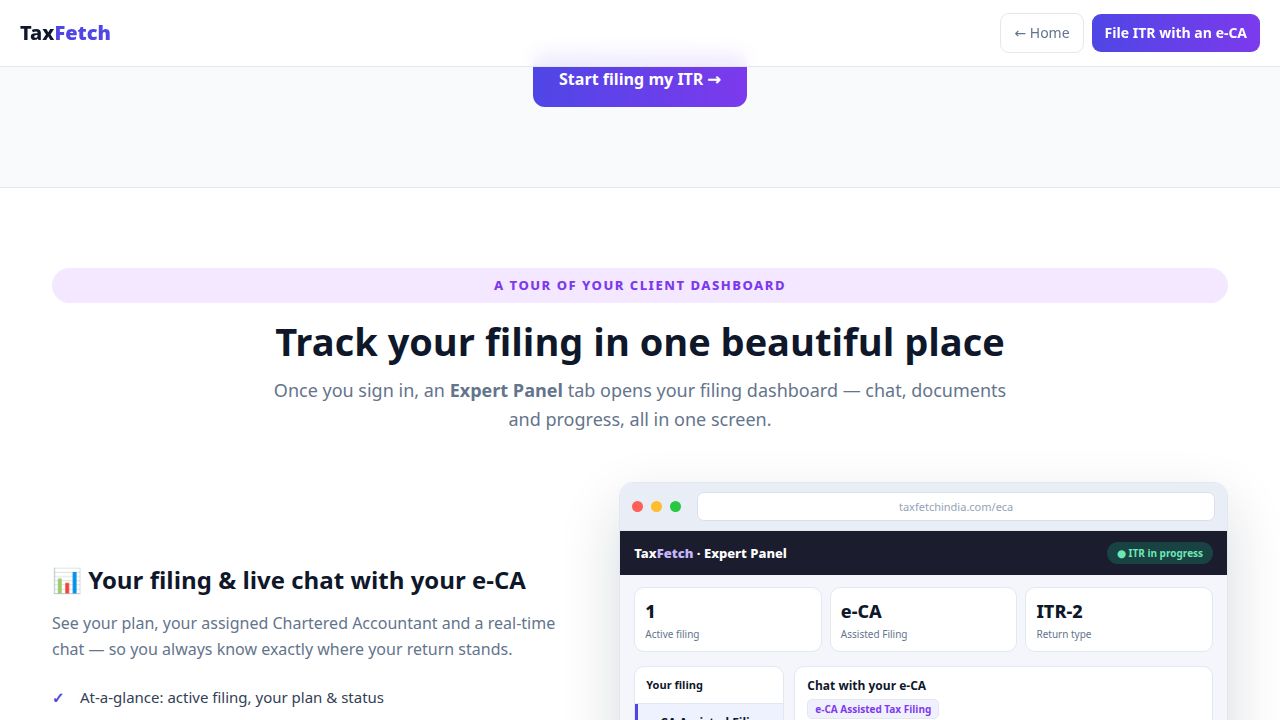
- Everything happens in your client dashboard — secure document vault, live chat and filing progress in one place.
- Great for salaried filers, freelancers, capital-gains cases, multiple income sources and anyone who got a notice.
Filing your Income Tax Return should not require a degree in tax law. Yet every year millions of Indians stare at ITR forms, unsure which one applies, what to declare, or how to claim the deductions they are entitled to. The simplest fix is to let a professional do it: file your ITR online with a verified e-CA and you simply share documents and answer a few questions while a Chartered Accountant does the rest.
This guide walks through exactly how e-CA assisted filing works on TaxFetch for FY 2025-26 (AY 2026-27). New to online tax help? Start with our online tax consultation guide.
Let a verified e-CA file your ITR for you
Skip the confusing forms. A verified Chartered Accountant prepares and files your Income Tax Return while you simply share documents and chat.
Why file with an e-CA instead of doing it yourself?
- You won’t pick the wrong form. ITR-1, 2, 3 or 4 — your e-CA selects the correct one for your income mix.
- You won’t miss deductions. 80C, 80D, HRA, home-loan interest, NPS and more are claimed correctly.
- Capital gains are handled properly. Shares, mutual funds, crypto and property are computed the right way.
- Notices are avoided. Accurate, reconciled returns reduce the chance of a mismatch notice.
- It’s faster than you think. Most of your time is just uploading documents.
Step-by-step: filing your ITR online with an e-CA
- Choose the filing plan. Go to e-CA assisted ITR filing and pick a plan from ₹999 per return.
- Sign in and open your dashboard. After payment, an Expert Panel tab opens your filing dashboard.
- Upload your documents to the secure vault. Form 16, bank/broker statements, rent receipts, investment proofs and any prior notices.
- Chat with your assigned e-CA. Answer a few questions; your Chartered Accountant clarifies anything unclear in real time.
- Review the computation. Your e-CA shares the draft computation and the expected refund or payable.
- Approve and file. Once you confirm, your e-CA files the return and shares the acknowledgement.
Documents to keep ready
- PAN and Aadhaar
- Form 16 (salaried) and Form 26AS / AIS
- Bank statements and interest certificates
- Capital gains statements from your broker / mutual fund
- Rent receipts (for HRA) and home-loan interest certificate
- Investment proofs for 80C / 80D and any other deduction
Tip: prepare faster with the free TaxFetch tools — for example the Bank Statement Analyzer auto-detects salary, interest and TDS, and the Income Tax Calculator estimates your liability under both regimes before you hand everything to your e-CA.
Try 8 free TaxFetch tools
TDS Fetch, Income Tax Calculator, HRA, Capital Gains, Stock Profit Classifier, Bank Statement Analyzer, Bank PDF→Excel and the TDS/TCS Calculator — all free.
Who should use e-CA assisted filing?
- Salaried employees who want it done right with maximum refund.
- Freelancers & professionals using presumptive taxation (44ADA).
- Investors & traders with capital gains across shares, MFs or crypto.
- People with multiple income sources — salary plus rent plus interest plus gains.
- Anyone who received a notice and wants a clean, accurate return.
Frequently Asked Questions
How do I file my ITR online with a CA on TaxFetch?
Choose an e-CA filing plan, sign in, and upload your documents to the secure vault in your dashboard. Your assigned e-CA prepares the computation, you approve it, and the e-CA files the return and shares the acknowledgement.
How much does e-CA ITR filing cost?
e-CA assisted ITR filing on TaxFetch starts at ₹999 per return and covers any ITR type.
Which ITR types are supported?
All of them — ITR-1, ITR-2, ITR-3 and ITR-4. Your e-CA selects the correct form for your income mix.
Is it safe to share my documents online?
Yes. You upload Form 16, bank and broker statements to a private, secure document vault inside your dashboard, never over email. Everything stays private to your filing.
What documents do I need?
Keep PAN, Aadhaar, Form 16, Form 26AS/AIS, bank and interest statements, capital gains statements, rent receipts and investment proofs ready.
Can I get advice before I file?
Yes. You can start with an online tax consultation to plan and save tax, then move to e-CA assisted filing.
Ready to file? Let an e-CA do it for you
Filing your ITR online with a verified e-CA is the easiest way to file accurately, claim every deduction and stay notice-free. Share your documents, chat with your Chartered Accountant, and approve the final return — all from ₹999. File my ITR with an e-CA →