- After you buy a plan and sign in, an Expert Panel tab opens your client dashboard.
- You get unlimited one-on-one chat with your matched e-CA or Tax Expert, with full message history.
- A secure document vault keeps Form 16, statements and proofs private to your consultation.
- Everything — plan, assigned expert, rating, chat and progress — lives in one clean screen.
The dashboard is where online tax consultation actually happens. Many people picture “ontline CA help” as a messy thread of emails and WhatsApp forwards. TaxFetch is the opposite: when you start a consultation, everything is organised inside a single, secure client dashboard called the Expert Panel. This is a visual tour of exactly what you see and do there.
If you are deciding whether to consult online at all, start with the online tax consultation guide; then come back here to see the experience.
Talk to a verified Tax Expert or e-CA online
Get personal, one-on-one help with your taxes from a verified expert — unlimited chat, a secure document vault and trusted advice, all from your own client dashboard.
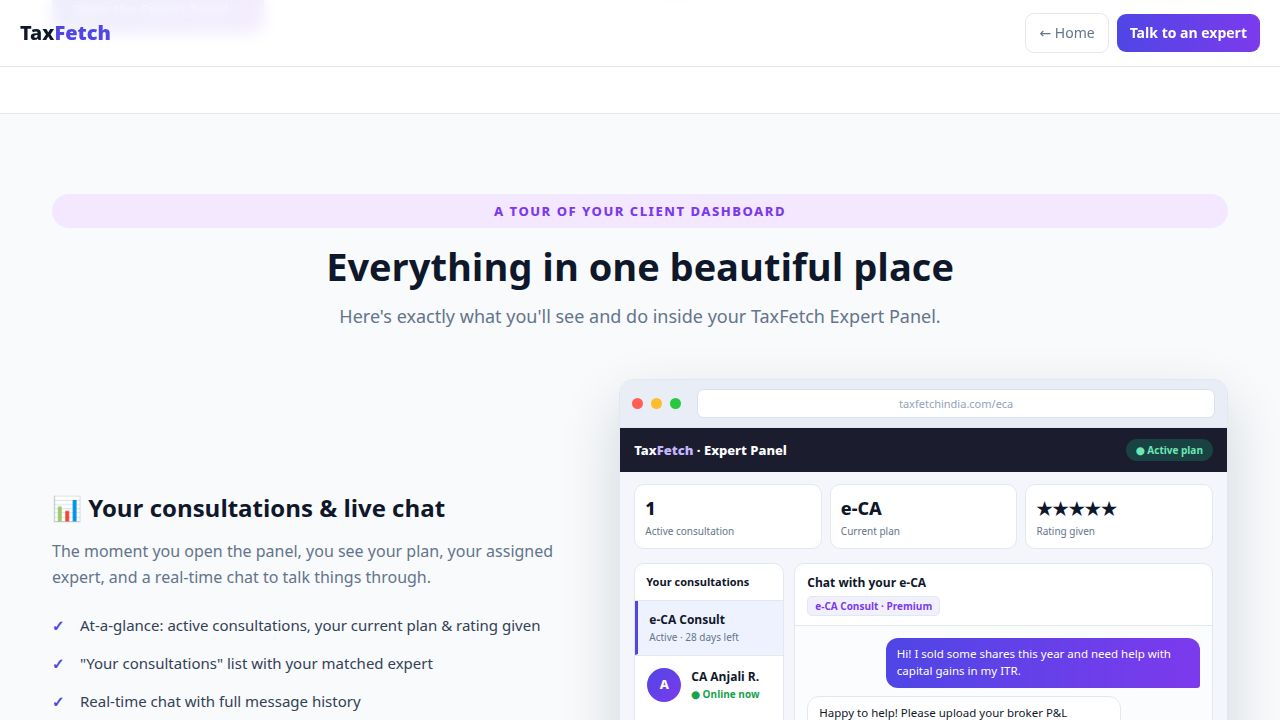
1. Your consultations & live chat
The moment you open the panel, you see your plan, your assigned expert and a real-time chat to talk things through. At a glance you get:
- Active consultations, your current plan and the rating you’ve given.
- A “Your consultations” list showing your matched expert and status.
- Real-time chat with full message history — ask follow-ups any time during your plan.
2. The secure document vault
Instead of emailing sensitive files, you upload them to a private vault inside the dashboard. Form 16, bank and broker statements, rent receipts and investment proofs all stay tied to your consultation and visible only within it. Your expert can review exactly what they need without anything leaking into your inbox.
3. Unlimited one-on-one chat
Tax questions rarely arrive one at a time. With unlimited chat for the duration of your plan, you can ask the first question, read the answer, then ask three follow-ups without worrying about per-message charges. Because the full history is saved, you can scroll back to any advice your expert gave — useful when you actually sit down to act on it.
Let a verified e-CA file your ITR for you
Skip the confusing forms. A verified Chartered Accountant prepares and files your Income Tax Return while you simply share documents and chat.
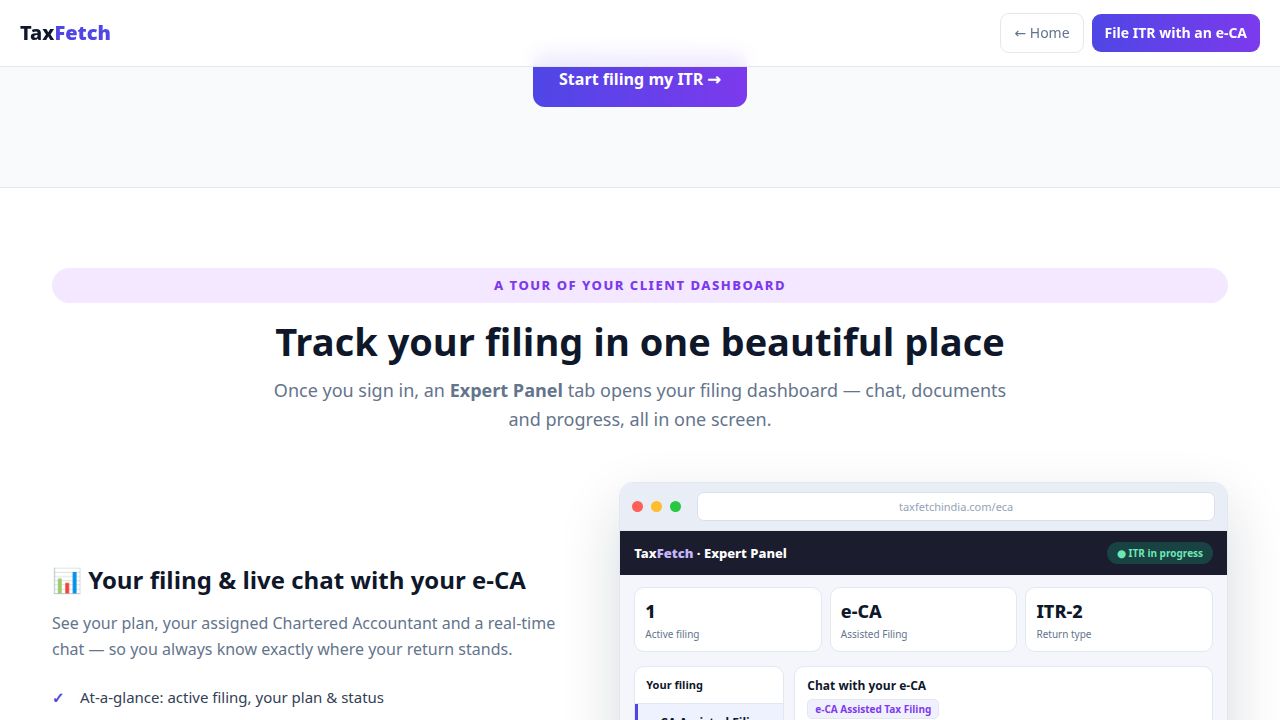
4. Filing progress (if you choose e-CA filing)
If your plan includes e-CA assisted ITR filing, the same dashboard shows your filing status, your assigned Chartered Accountant and the ITR type — so you always know exactly where your return stands. See the step-by-step filing guide for the full flow.
5. Private & confidential by design
Your chats and documents stay inside your own encrypted client dashboard. Experts are verified before they can take clients, and you control what you share. The result is a consultation that is both convenient and private — the best of an office visit without the office.
How to open your dashboard
- Buy a plan from the consultation page (from ₹499) or an e-CA filing plan (from ₹999).
- Sign in to your TaxFetch account.
- Click the Expert Panel tab in the top menu — your dashboard opens.
Frequently Asked Questions
Where is the TaxFetch client dashboard?
After you buy a plan and sign in, an Expert Panel tab appears in the top menu. Clicking it opens your client dashboard with your consultations, chat and document vault.
What can I do in the dashboard?
You can chat in real time with your matched e-CA or Tax Expert, upload and manage documents in a secure vault, see your plan and rating, and track filing progress if you chose e-CA filing.
Is the chat really unlimited?
Yes. You get unlimited one-on-one chat with your expert for the duration of your plan, with full message history saved.
How are my documents kept private?
Documents are stored in a secure vault inside your own client dashboard and stay private to your consultation — not shared over email or messaging apps.
Do I need to install anything?
No. The dashboard runs in your browser. Just sign in and open the Expert Panel tab.
See your dashboard for yourself
The TaxFetch client dashboard turns online tax help into something calm and organised: one screen for your expert, your chat, your documents and your progress. Talk to an expert and open your Expert Panel today.