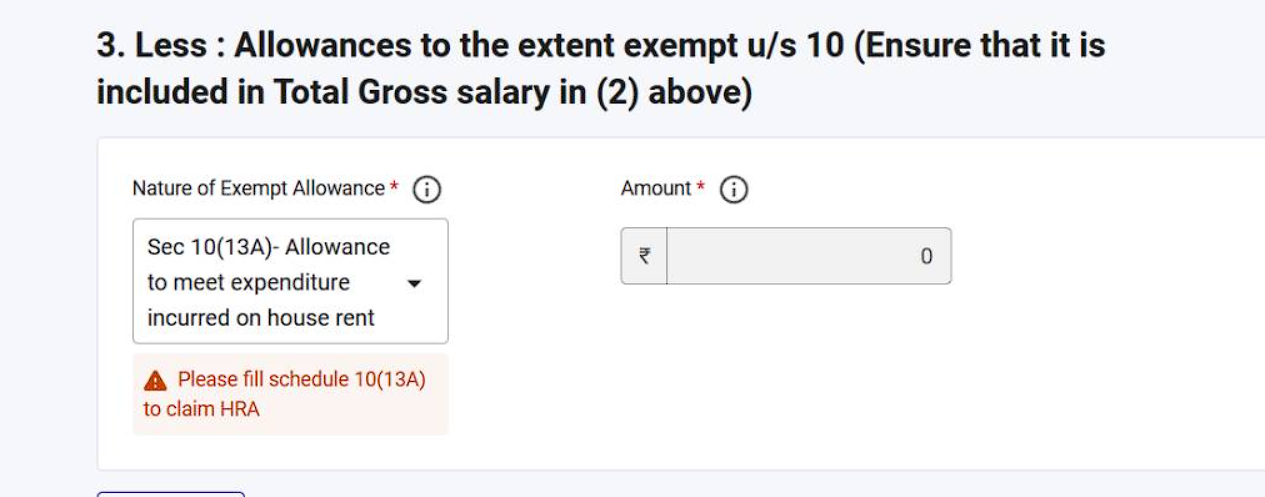
If you are filing your ITR this year and hit the red error “Please fill schedule 10(13A) to claim HRA” — with no visible schedule anywhere to fill — you are not alone. From this assessment year the Income Tax Department has changed the ITR forms: the e-filing portal no longer allows you to simply type a flat tax-exempt HRA amount. Instead, a newly introduced Schedule 10(13A) acts as a breakdown calculator that cross-verifies your rent details and automatically computes your eligible House Rent Allowance exemption using the “least of the three” rule. The catch: the schedule stays hidden and locked until you complete a very specific sequence of steps. This guide walks that exact sequence with real portal screenshots.
By the numbers: HRA exemption u/s 10(13A) read with Rule 2A is the least of three amounts — actual HRA received, rent paid minus 10% of salary, and 50% of salary (metro: Mumbai, Kolkata, Delhi, Chennai) or 40% (non-metro) — and from AY 2025-26 onward the portal computes it only through the new Schedule 10(13A). Source: Income Tax Department.
The “least of the three” rule the schedule applies
| # | Component | How the portal computes it |
|---|---|---|
| A | Actual HRA received | Auto-pulled from your bifurcated salary entry |
| B | Rent paid − 10% of salary | From the “Actual Rent paid” field you enter |
| C | 50% of salary (metro) / 40% (non-metro) | From your “Place of Residence” selection |
“The schedule is not broken — it is locked. Bifurcate Basic Salary and HRA in Schedule Salary first, and 10(13A) opens up exactly where the error said it would be.” — CA Juber Attar, TaxFetch e-CA Tax Expert
Why is the HRA exemption showing an error in ITR this year?
Earlier, you could pick “Sec 10(13A) — Allowance to meet expenditure incurred on house rent” in the exempt-allowances dropdown and directly type your exemption amount. Now the same dropdown shows the amount frozen at ₹0 with a warning:
The fix is a four-part sequence: re-answer the questionnaire, confirm HRA eligibility, bifurcate your salary, and then fill the now-unlocked schedule. Follow the steps below in order — skipping the salary bifurcation is the single most common reason the schedule stays locked.
Step 1: Go back to the step-by-step questionnaire and opt out of the new regime
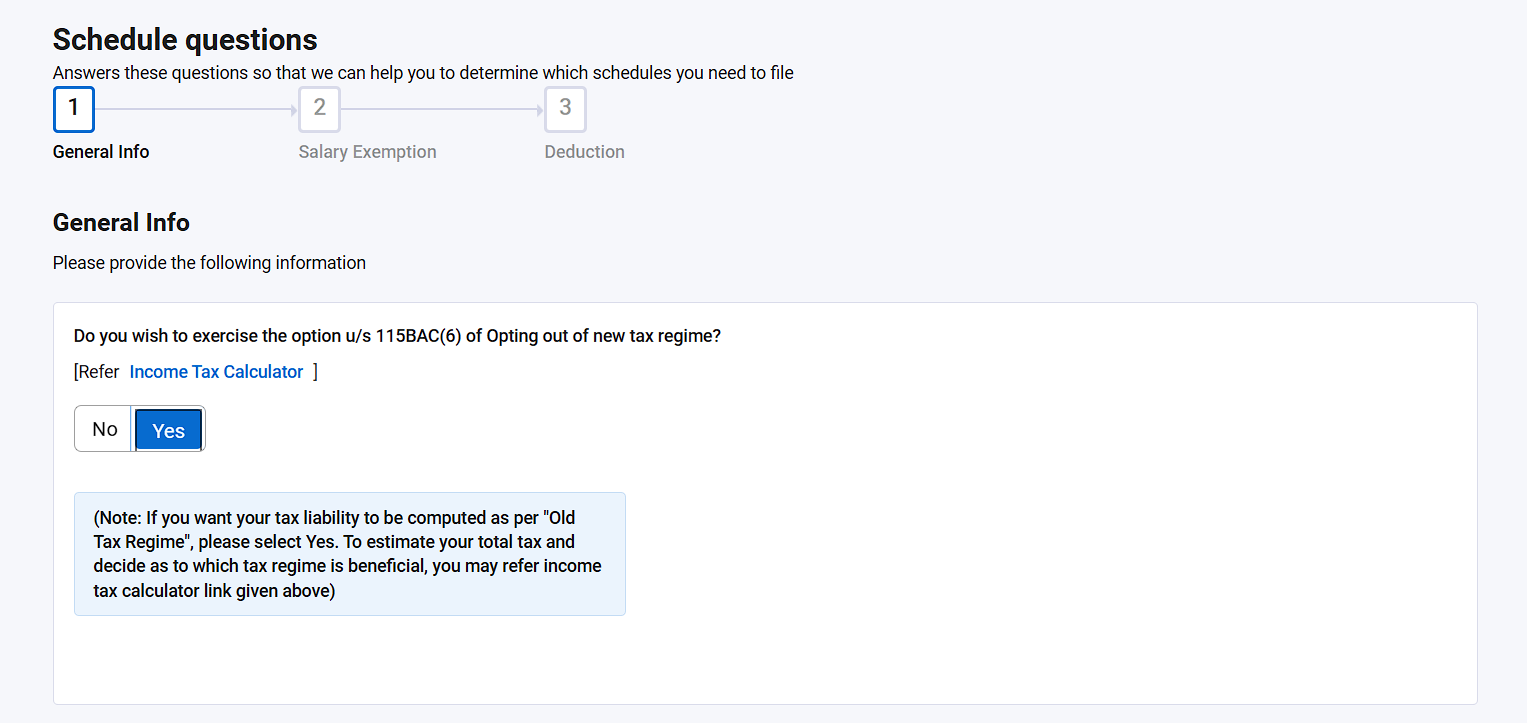
HRA exemption u/s 10(13A) is available only under the old tax regime. Return to the schedule-selection questionnaire (“Schedule questions” — General Info) and answer Yes to “Do you wish to exercise the option u/s 115BAC(6) of Opting out of new tax regime?”:
Step 2: Answer the salary exemption questions
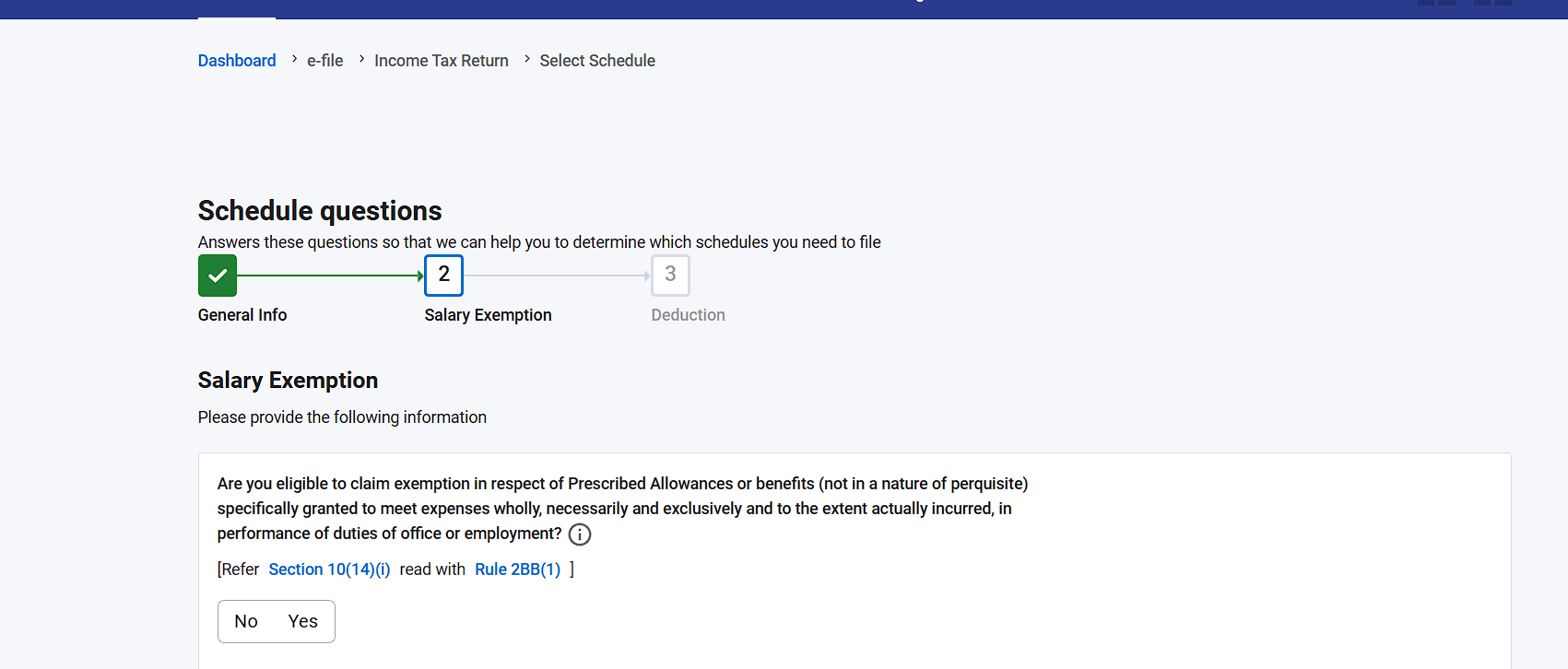
Move to the Salary Exemption tab of the questionnaire. Work through the prescribed-allowance questions:
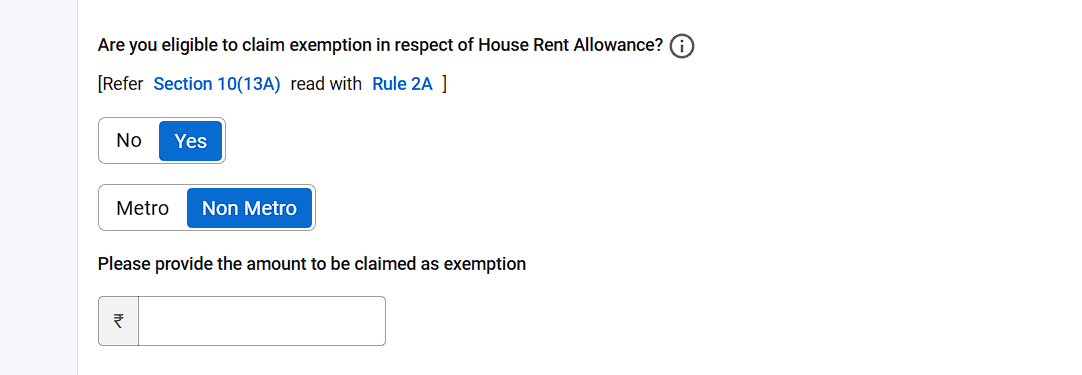
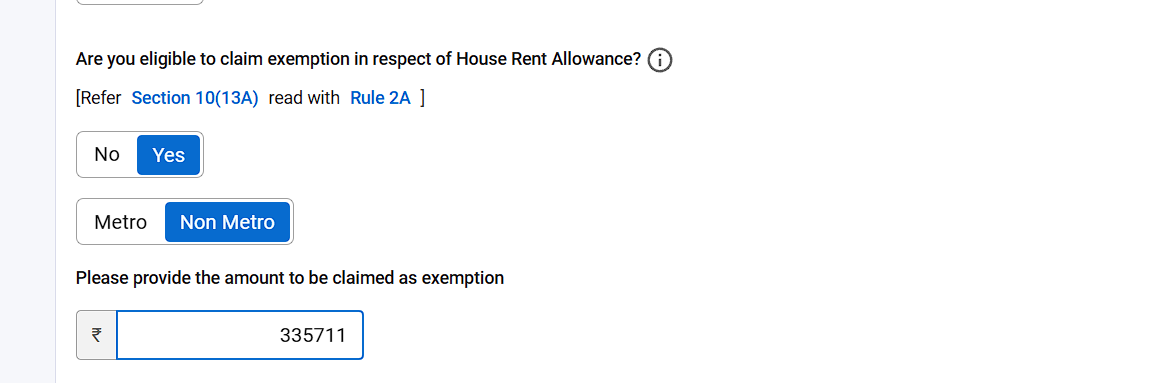
Then find the question “Are you eligible to claim exemption in respect of House Rent Allowance? [Refer Section 10(13A) read with Rule 2A]”. Select Yes, choose Metro (only for Mumbai, Kolkata, Delhi or Chennai) or Non Metro, and enter the exemption amount you computed as per the rules:
Step 3: Return to the main summary and open Schedule Salary
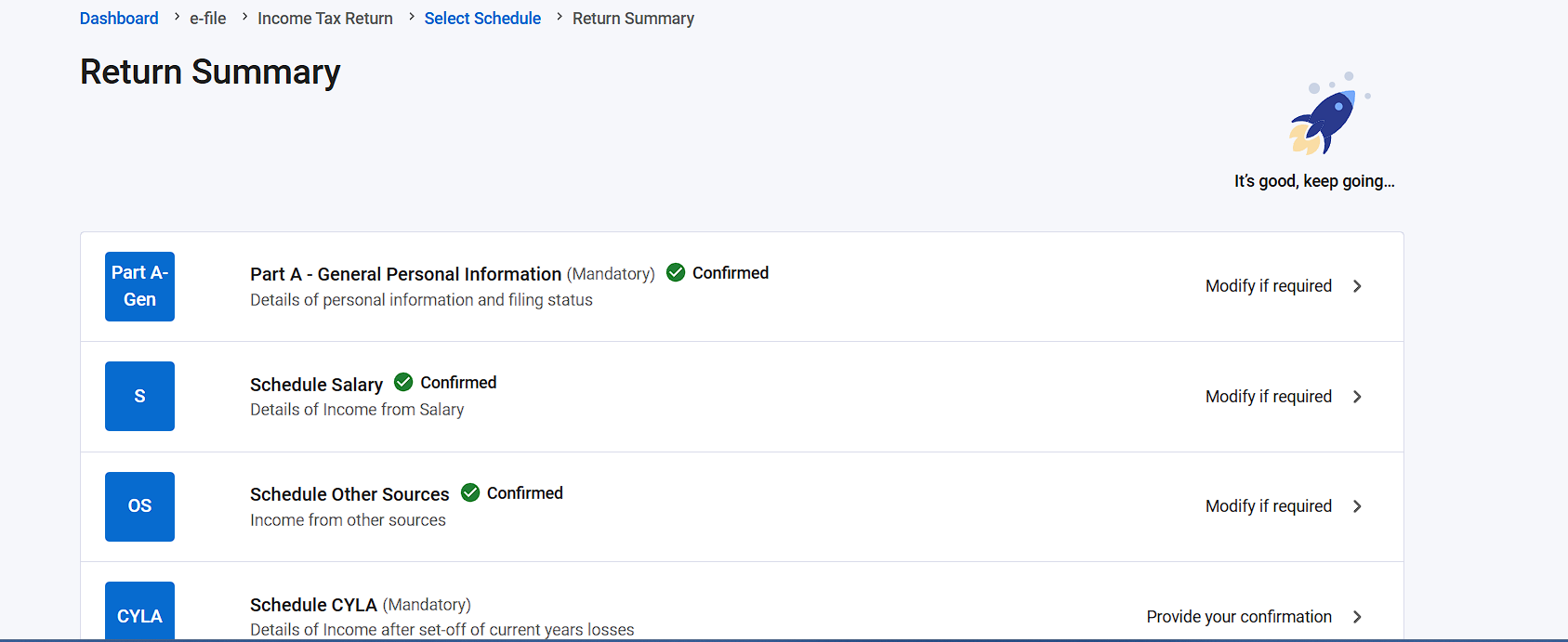
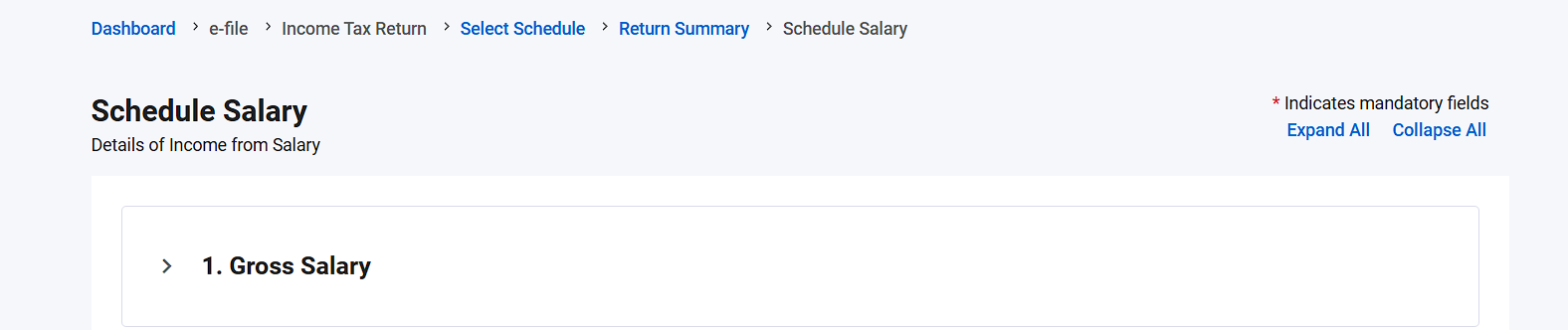
Come back to the Return Summary and open Schedule Salary:
Step 4: Bifurcate your gross salary — this is what unlocks the schedule
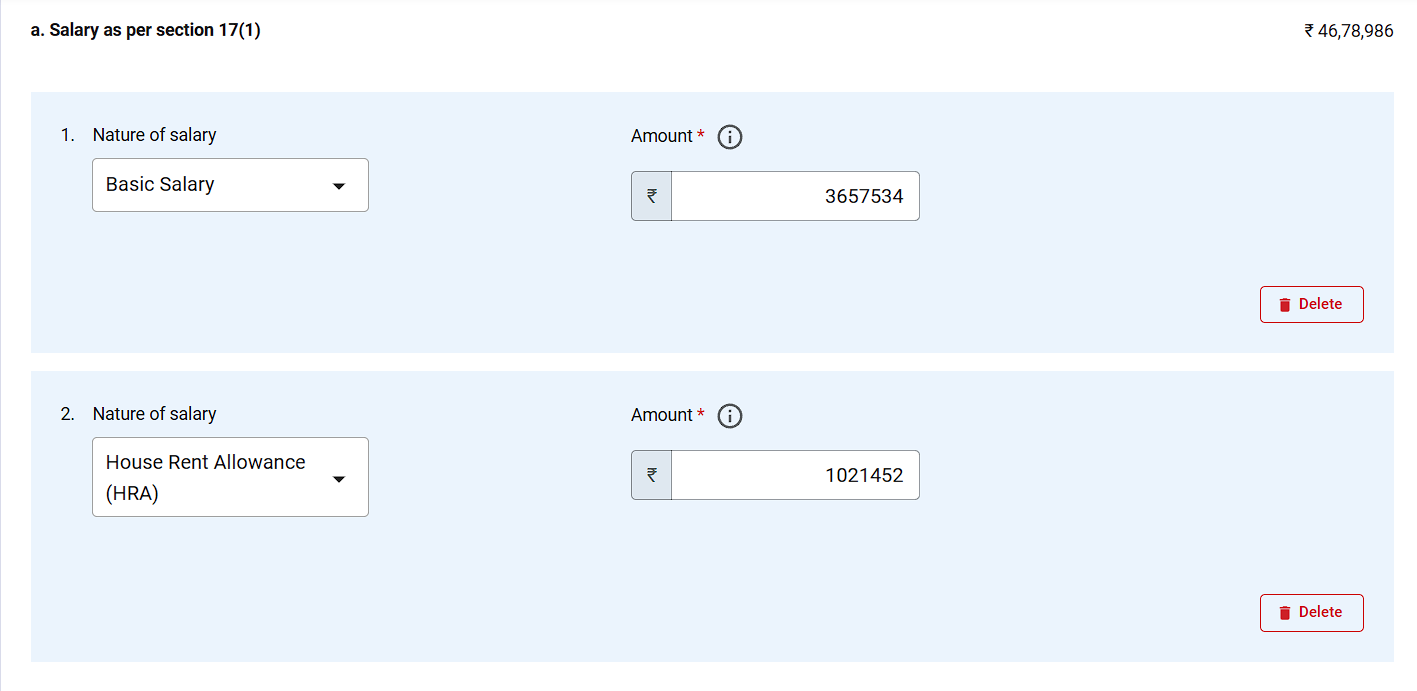
In the Gross Salary annexure (salary as per section 17(1)), you must break your total salary into components: add Basic Salary and House Rent Allowance (HRA) as separate line items with their own amounts. Leaving these blank — or entering one lumped figure — is exactly what keeps Schedule 10(13A) locked or throws validation errors:
Step 5: Scroll to Part 3 — Schedule 10(13A) is now enabled
Still inside Schedule Salary, scroll down to Part 3 — “Less: Allowances to the extent exempt u/s 10”. You will see the Sec 10(13A) row:
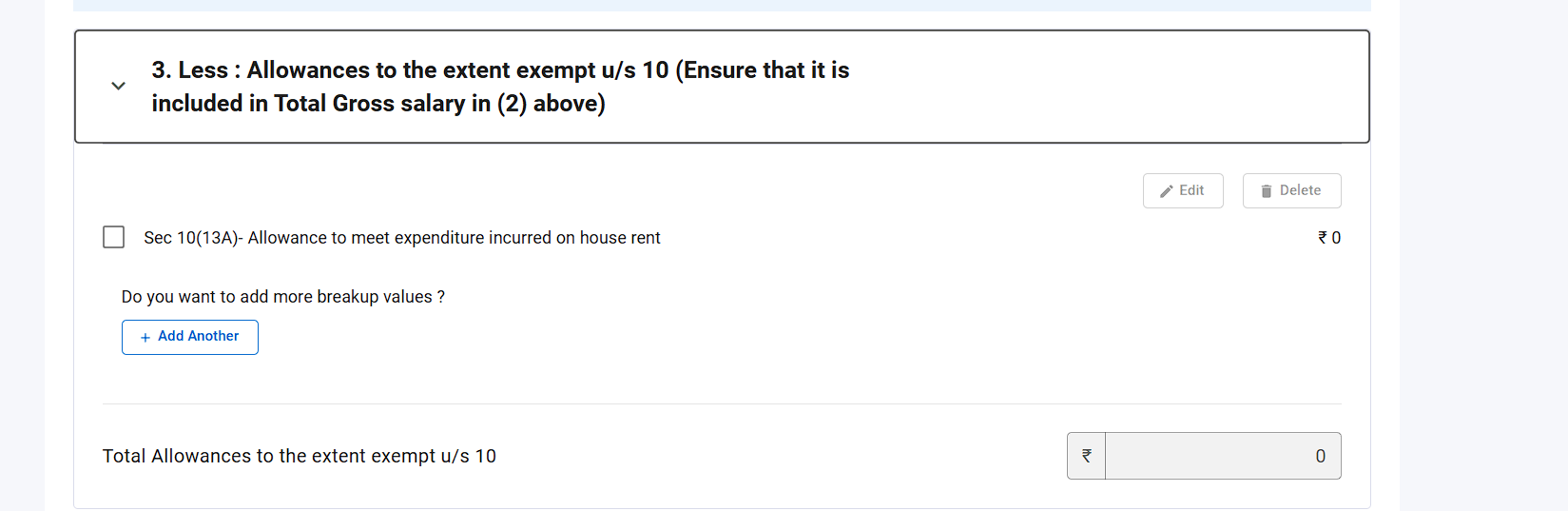
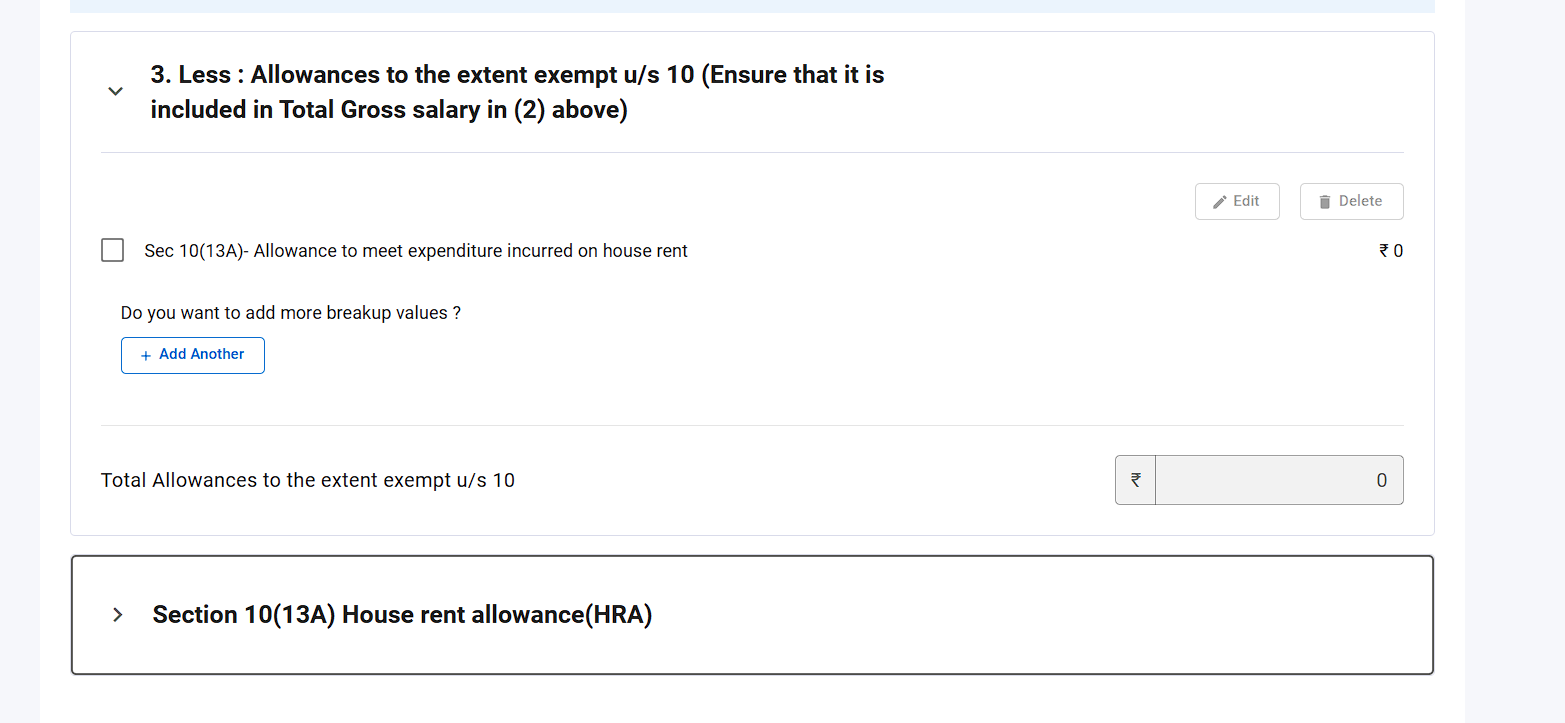
And directly below it — the previously invisible “Section 10(13A) House rent allowance (HRA)” schedule is now enabled:
Step 6: Fill the Schedule 10(13A) breakdown
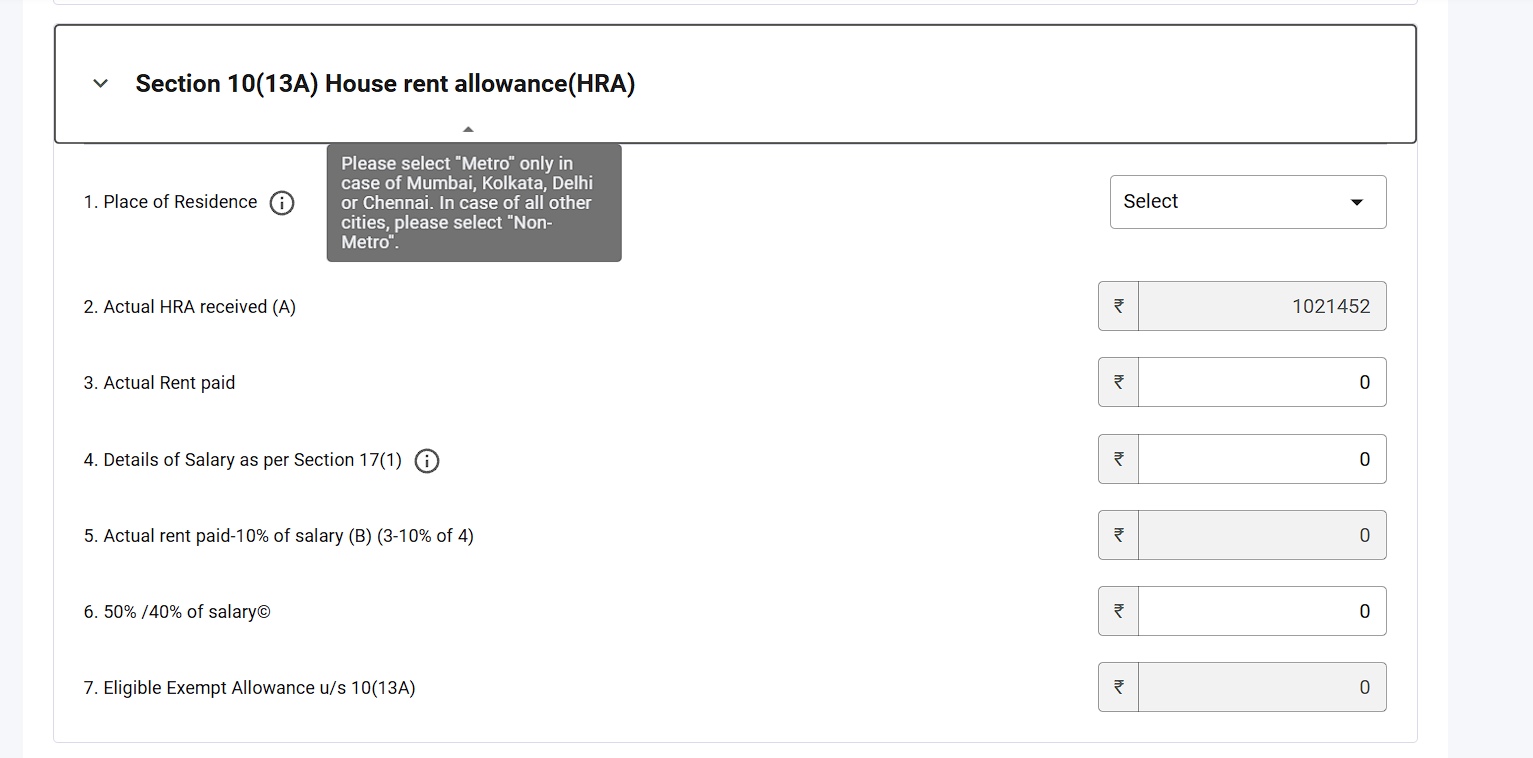
Expand it and fill the fields. Only three need your input — the rest auto-compute:
| Line | Field | What to do |
|---|---|---|
| 1 | Place of Residence | Select Metro only for Mumbai, Kolkata, Delhi or Chennai; every other city is Non-Metro |
| 2 | Actual HRA received (A) | Auto-pulled from your bifurcated HRA row — verify it matches Form 16 |
| 3 | Actual Rent paid | Enter the total rent you actually paid in the year |
| 4 | Salary as per Section 17(1) | Enter salary for HRA purposes (basic + DA forming part of retirement benefits) |
| 5 | Rent paid − 10% of salary (B) | Auto-computed |
| 6 | 50% / 40% of salary (C) | Auto-computed from your Metro/Non-Metro choice |
| 7 | Eligible Exempt Allowance u/s 10(13A) | Auto-computed = least of A, B and C |
Once line 7 populates, the exemption flows back into Part 3, the red error disappears, and your taxable salary drops accordingly. Confirm the schedule and proceed to validation.
Frequently asked questions
Why is Schedule 10(13A) not showing in my ITR at all?
It stays hidden until two things are true: you opted out of the new regime in the questionnaire and your gross salary is bifurcated with Basic Salary and HRA as separate line items in Schedule Salary. Do both and the schedule appears below Part 3 of Schedule Salary.
Can I claim HRA exemption under the new tax regime?
No. HRA exemption u/s 10(13A) is available only under the old regime — that is why Step 1 is opting out u/s 115BAC(6). If the old regime with HRA and other deductions beats the new regime for you, compare both before filing.
Why can’t I just type my HRA exemption amount like last year?
The portal now cross-verifies HRA claims. The manual amount field is locked at ₹0 and the exemption is accepted only through the Schedule 10(13A) breakdown, where the system itself applies the least-of-three rule to your rent and salary inputs.
What counts as a metro city for the 50% limit?
Only Mumbai, Kolkata, Delhi and Chennai. Bengaluru, Hyderabad, Pune, Gurugram, Noida and every other city are Non-Metro (40% of salary).
What figures should I take for Basic Salary and HRA received?
Use your Form 16 Part B / salary-slip annual figures. The Basic and HRA rows you enter under section 17(1) must add up (with your other components) to your total gross salary, or the portal will throw a mismatch error.
Key takeaways
- The ITR forms changed this year: HRA exemption is now claimed only via the new Schedule 10(13A) — manual amounts are blocked.
- The unlock sequence: opt out of new regime → answer the HRA question → bifurcate Basic + HRA in Schedule Salary → fill Schedule 10(13A) below Part 3.
- An un-bifurcated (lumped) gross salary is the #1 reason the schedule stays locked.
- The portal auto-computes the exemption as the least of: actual HRA, rent − 10% of salary, and 50%/40% of salary.
- Metro = only Mumbai, Kolkata, Delhi, Chennai.
Want to know your exact eligible exemption before you touch the portal? Compute it in seconds with the free TaxFetch HRA Calculator, and check your full old-vs-new regime position with the Income Tax Calculator. Still stuck on your return? Talk to a TaxFetch e-CA expert and get it filed right.