See it in action
A look inside Bank Statement Analyzer
This is exactly what you'll see when you open the tool.
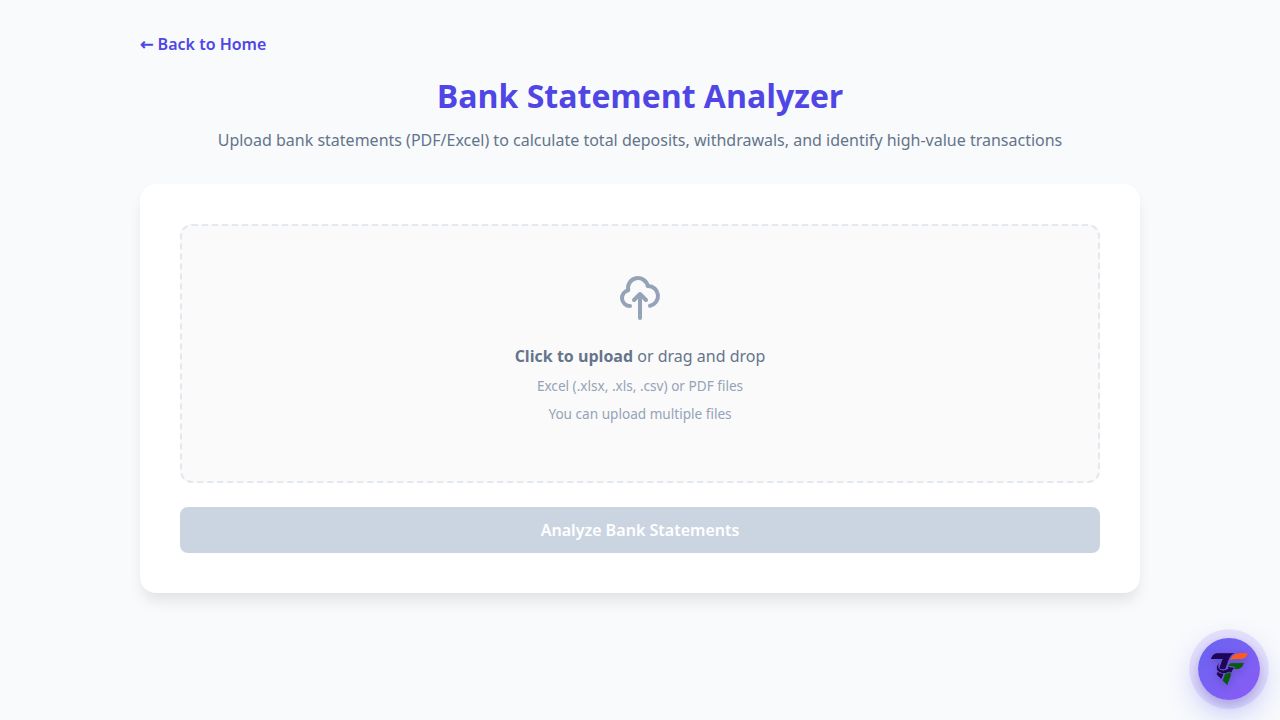
Upload bank statements (PDF or Excel) to calculate total deposits, withdrawals and spot high-value transactions.
Upload your statement as PDF or Excel and TaxFetch instantly totals your deposits and withdrawals, categorises your spending, and flags the high-value transactions that matter for tax.
A bank statement is just rows of numbers until something makes sense of it. TaxFetch reads your statement and instantly shows your total deposits, total withdrawals and your biggest inflows and outflows.
It goes further with smart categorisation, ITR-ready intelligence that detects salary, interest, dividends and TDS, and high-value transaction flags — so you spot what matters for your taxes without scrolling through hundreds of lines.
Banks report high-value transactions to the Income Tax Department, and these appear in your Annual Information Statement (AIS). Large cash deposits, fixed deposits and credit-card payments can trigger scrutiny if they don’t match your return. TaxFetch analyses your statement, categorises spending and flags what matters for tax.
High-value transactions are reported to the department under Rule 114E (Statement of Financial Transactions). · Source: Income Tax Department, Government of India
| Transaction | Reported when it crosses |
|---|---|
| Cash deposits in a savings account | ₹10 lakh in a year |
| Fixed deposits (excluding renewals) | ₹10 lakh in a year |
| Credit-card bill paid in cash | ₹1 lakh in a year |
| Credit-card bill (any mode) | ₹10 lakh in a year |
Your AIS is built partly from these bank reports. Reconciling your statement with your AIS before filing is the simplest way to avoid a mismatch notice.— CA Juber Attar, TaxFetch e-CA Tax Expert
Everything you need, built in — no spreadsheets, no guesswork.
Instant totals for money in and money out across your whole statement.
Every transaction sorted into clear spending categories with charts.
Auto-detects salary, interest, dividends, rent and TDS for your return.
Spots large cash, card and FD transactions that matter for tax reporting.
Covers major Indian banks plus supported banks in the UAE, Zambia, Mauritius, Bangladesh, Nigeria and Pakistan.
Catches duplicates, recurring EMIs and unusual spikes in your spending.
This is exactly what you'll see when you open the tool.
Upload bank statements (PDF or Excel) to calculate total deposits, withdrawals and spot high-value transactions.
A live demo of what happens the moment you run the tool.
Actual screens from the tool — here is exactly what your result looks like.
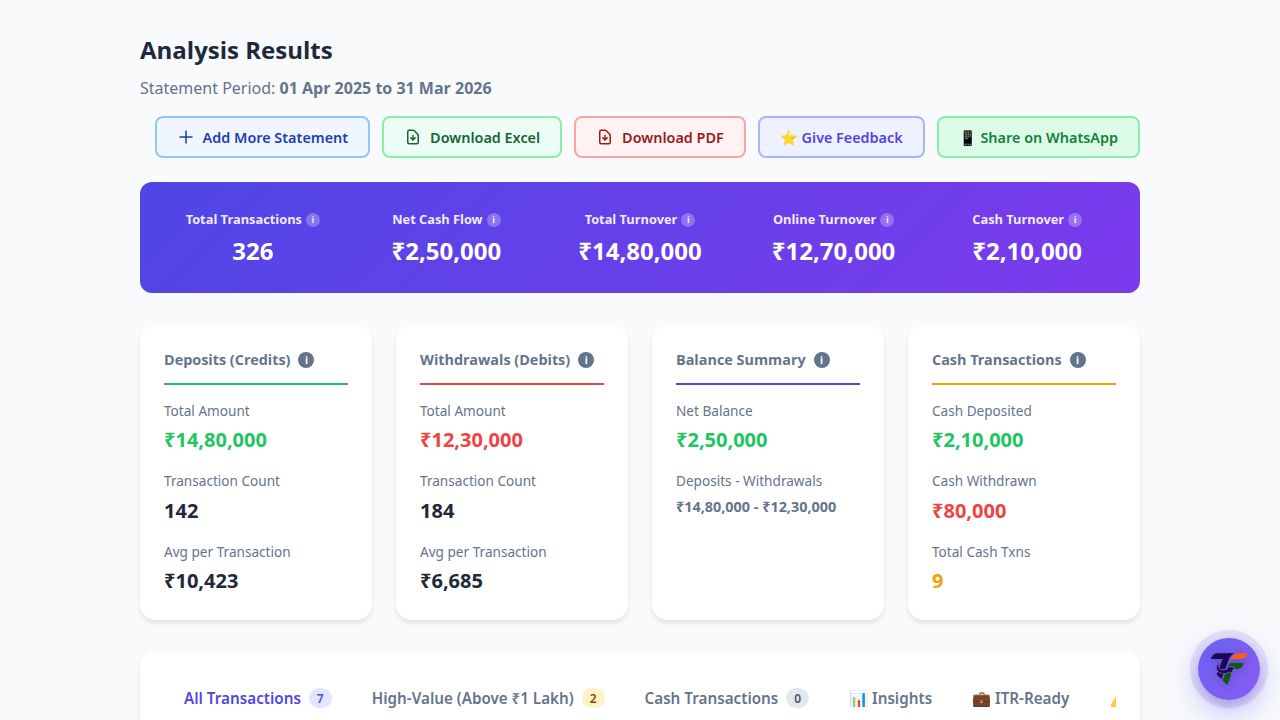
Total money in and out, net cash flow, turnover and cash-transaction flags up top — with tabs for spending categories, ITR intelligence and anomalies below.
From start to result in four simple steps.
Download your bank statement as a PDF or Excel file.
Drag and drop one or more statements — password-protected PDFs are fine.
TaxFetch totals, categorises and flags everything automatically.
Browse your summary, categories, ITR intelligence and anomalies.
Real people who got things done faster with Bank Statement Analyzer.
Uploaded a year of HDFC statements and instantly saw where my money actually went. Eye-opening.
The ITR intelligence picked up my FD interest and TDS automatically — exactly what I needed for filing.
It read my password-protected SBI PDF without any fuss and gave me clean deposit and withdrawal totals.
The category charts helped me cut my spending. I had no idea how much went to subscriptions.
High-value transaction flags gave me peace of mind before filing. Brilliant and fast.
Everything you need to know before you start.
TaxFetch supports 46 banks across 7 countries: 40 India-focused banks and 6 international banks. Available PDF, Excel and CSV formats depend on the bank.
Yes — you can upload password-protected bank statement PDFs and the tool will process them.
Total deposits and withdrawals, smart spending categories with charts, ITR-ready detection of salary, interest, dividends and TDS, high-value flags and anomalies.
Your statement is analysed to produce your summary and is not sold or shared.
Yes, you can upload more than one statement at a time for a combined view.
A complete toolkit for your taxes — all in one place.
It's quick, easy and your first use is free. See it work for yourself.
Try the tool →