Upload the tax P&L statement from your broker and let TaxFetch sort every trade into Short Term, Long Term and Intraday — so your stock taxes are clear and your ITR is easy.
If you trade shares, your broker gives you a tax P&L statement — but turning it into the right tax buckets is fiddly and error-prone. Short term, long term and intraday are all taxed differently.
TaxFetch reads your statement and classifies every trade for you: Short Term Capital Gains, Long Term Capital Gains and Intraday (speculative) income. You get a clean, downloadable report that makes filing your ITR straightforward.
Everything you need, built in — no spreadsheets, no guesswork.
Every trade sorted into Short Term, Long Term and Intraday — no manual tagging.
See your gains and losses grouped by category at a glance.
Works with the tax P&L statement from your broker in Excel or PDF.
Export a clean report you can keep or hand to your CA at filing time.
Numbers grouped the way your income tax return expects them.
Every signed-in user gets a free run to try it before doing more.
This is exactly what you'll see when you open the tool.
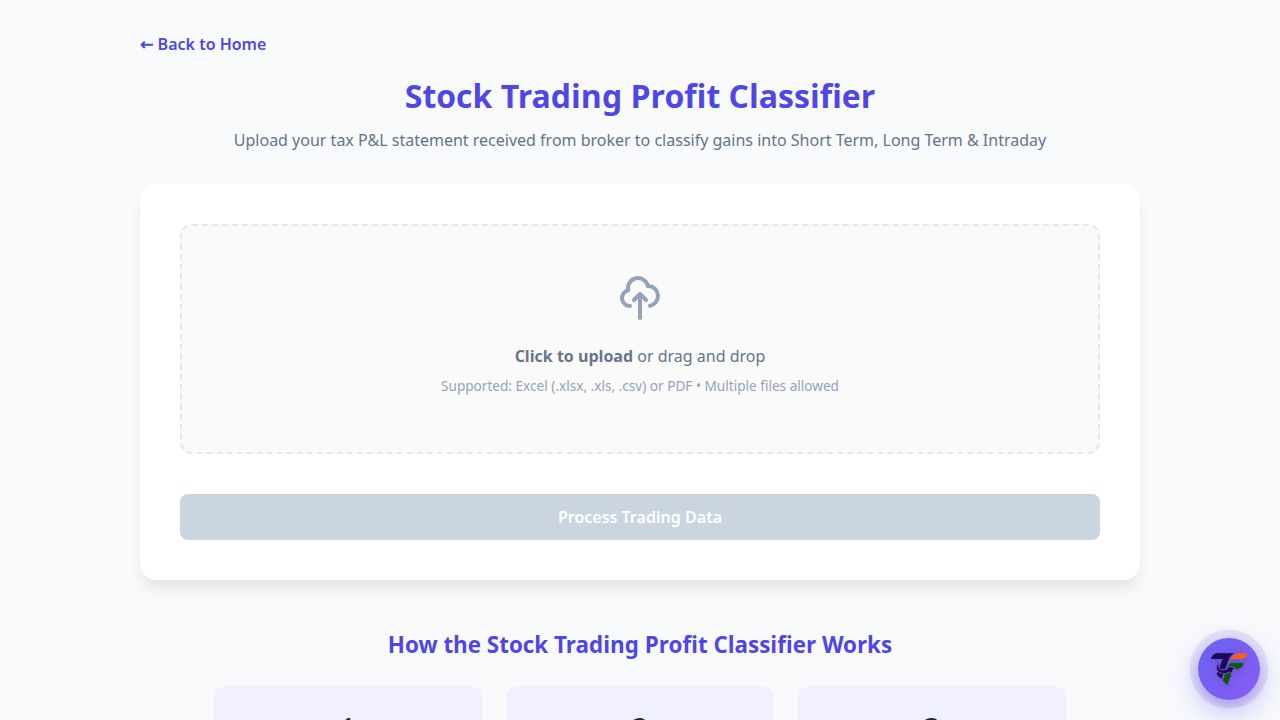
Upload the tax P&L statement from your broker — the tool classifies gains into Short Term, Long Term and Intraday automatically.
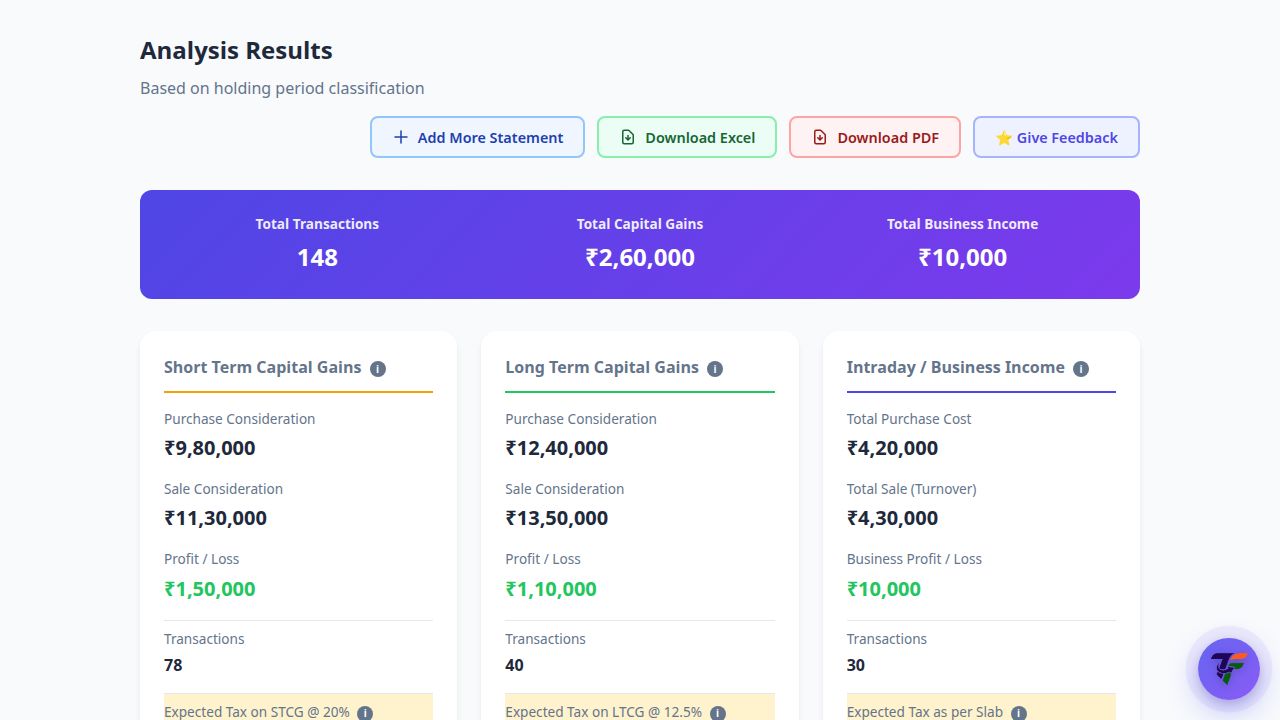
A live demo of what happens the moment you run the tool.
Actual screens from the tool — here is exactly what your result looks like.

Every trade grouped into Short Term, Long Term and Intraday with purchase, sale and profit totals — plus one-click Excel or PDF download.
From start to result in four simple steps.
Download the tax P&L statement from your broker (Excel or PDF).
Drag and drop the file — you can even upload multiple statements.
TaxFetch sorts every trade into Short Term, Long Term and Intraday.
Get a clean Excel or PDF report ready for your ITR.
Real people who got things done faster with Stock Trading Profit Classifier.
I had thousands of trades across the year. This sorted them into STCG, LTCG and intraday in seconds. Lifesaver.
Filing equity taxes used to take me a whole weekend. The downloadable report cut it down to minutes.
It correctly split my intraday from my delivery trades — something I always messed up manually.
Uploaded my Zerodha P&L and got a clean Excel back. My CA was thrilled with how organised it was.
Finally understood my long-term vs short-term gains. The free first run sold me instantly.
Everything you need to know before you start.
Upload the tax P&L statement your broker provides. The tool supports Excel (.xlsx, .xls, .csv) and PDF, and you can upload multiple files.
It groups your trades into Short Term Capital Gains, Long Term Capital Gains and Intraday (speculative) income based on holding period and trade type.
Yes — you can export a clean report in both Excel and PDF for your records or your CA.
It works with the standard tax P&L statement most Indian brokers provide.
Every signed-in user gets a free run to try it out.
A complete toolkit for your taxes — all in one place.
It's quick, easy and your first use is free. See it work for yourself.
Try the tool →