See it in action
A look inside ITR Reader
This is exactly what you'll see when you open the tool.
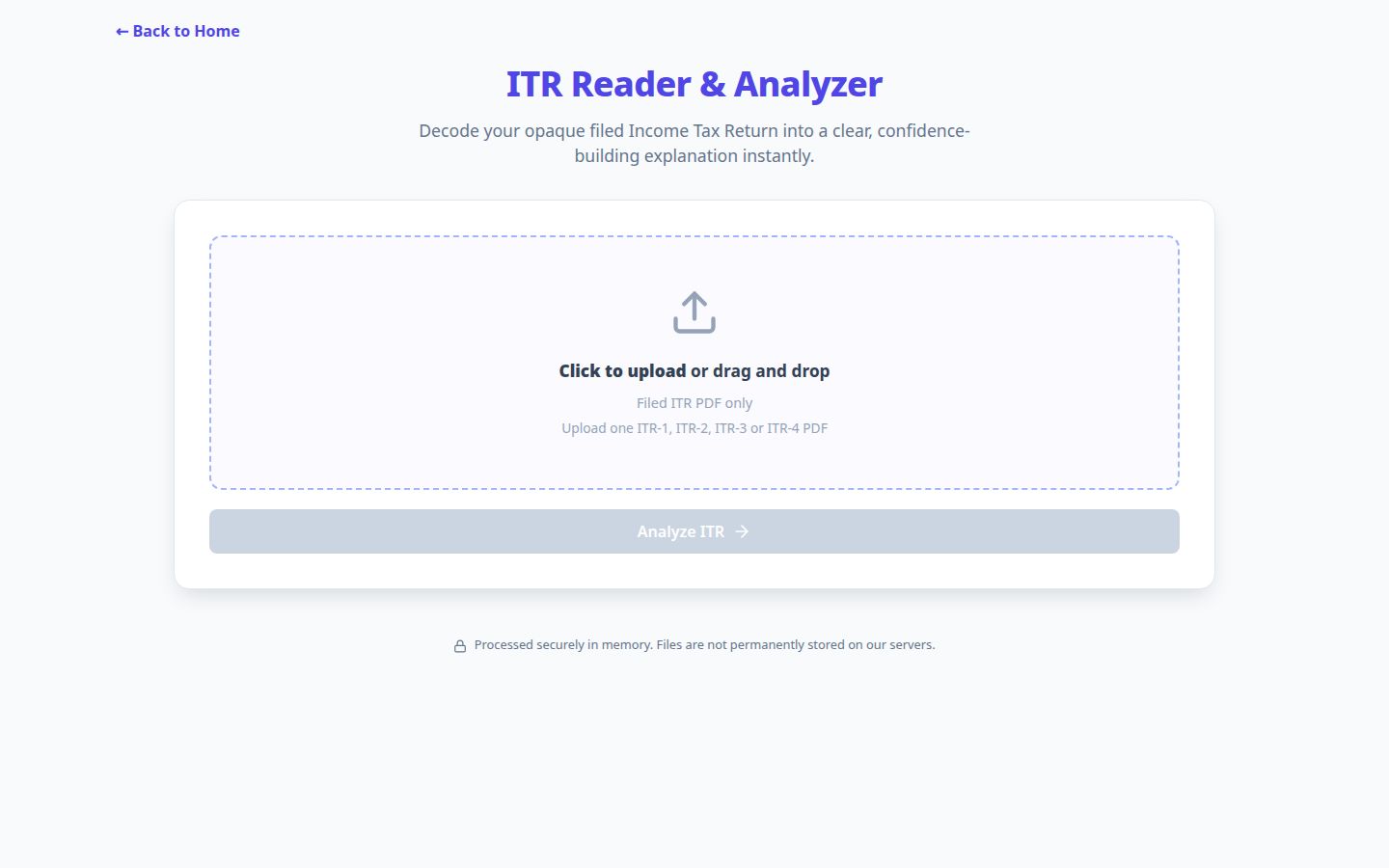
Upload a filed ITR-1, ITR-2, ITR-3 or ITR-4 PDF and see the return explained in clear sections.
Upload the official filed-return PDF and TaxFetch turns its dense schedules into a clear summary of income, deductions, tax paid, refund or demand, and the declarations that matter.
A submitted ITR PDF contains the answer to what was filed, but important totals are spread across dozens of pages and schedules. The ITR Reader brings those printed values into one structured view.
See the filing section and tax regime, income heads, Chapter VI-A deductions, tax computation, TDS and other taxes paid, bank account details, refund or demand, and only the family-specific schedules that are active in the return.
Use the official filed ITR PDF, not a draft computation. TaxFetch identifies ITR-1, ITR-2, ITR-3 or ITR-4 and explains the printed filing details, income heads, deductions, tax, taxes paid, refund or demand, bank details and active schedules without changing the return or comparing hypothetical regimes.
ITR forms separate the final computation from detailed schedules, so important declarations may be spread across dozens of pages. · Source: Income Tax Department, Government of India
| Return family | Commonly surfaced details |
|---|---|
| ITR-1 | Salary, house property, other sources, deductions and tax |
| ITR-2 | Capital gains, losses, exempt income and foreign disclosures |
| ITR-3 | Business or profession, VDA, gaming and detailed schedules |
| ITR-4 | Presumptive business or profession and filed tax computation |
Always review the filed PDF itself after submission. The acknowledgement confirms filing, but the full return shows the income, schedules and declarations that were actually submitted.— CA Juber Attar, TaxFetch e-CA Tax Expert
Everything you need, built in — no spreadsheets, no guesswork.
Reads official filed-return PDFs across salary, capital gains, business and presumptive return families.
Explains gross total income, deductions, total income, tax, cess, interest, taxes paid and the final result.
Surfaces capital gains, losses, exempt income, VDA, gaming, business, presumptive and foreign disclosures when present.
Shows completeness by section and keeps extracted totals tied to printed labels.
Masks PAN, Aadhaar and bank account numbers in the analysis.
Download a readable PDF report or an Excel workbook with separate schedules.
This is exactly what you'll see when you open the tool.
Upload a filed ITR-1, ITR-2, ITR-3 or ITR-4 PDF and see the return explained in clear sections.
A live demo of what happens the moment you run the tool.
Actual screens from the tool — here is exactly what your result looks like.
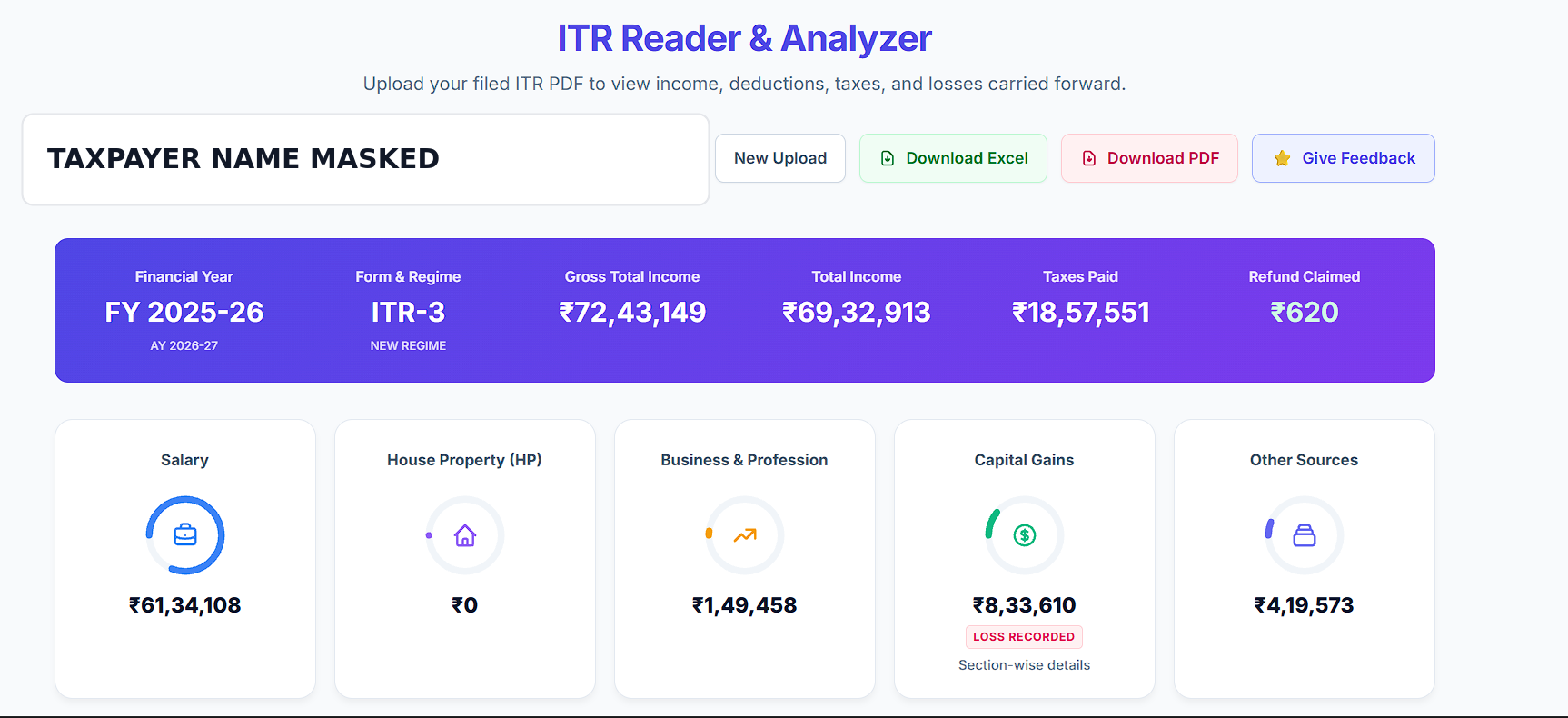
The result brings the filing year, return form, income, taxes paid, refund, five income heads and recorded losses into one clear review before you open the detailed schedules.
From start to result in four simple steps.
Use the official submitted return PDF generated by the Income Tax Department utility.
Add one filed ITR PDF and provide its opening password only when the file is locked.
The reader identifies the ITR family and extracts printed values with section-level checks.
Understand the computation, inspect active schedules, and export the analysis.
Real people who got things done faster with ITR Reader.
My ITR-2 was nearly forty pages. The reader showed my capital gains, deductions and refund in one clear view.
I could finally understand how the TDS in my return became the refund shown at the end. Very easy to follow.
The business and presumptive sections from my ITR-4 were separated properly instead of giving me another wall of tax-form text.
It picked up the VDA schedule in my ITR-3 and kept the PAN and bank account masked. That privacy detail matters.
I uploaded two years together and switched between both returns before downloading the Excel summaries for my records.
Tell us what worked well or what would make your filed-return review more useful.
Share feedback →Everything you need to know before you start.
The reader supports official filed ITR-1, ITR-2, ITR-3 and ITR-4 PDFs.
No. It explains the scheme and computation actually present in the filed return.
Yes. Enter the PDF opening password beside that file before analysis.
Depending on the return, it can surface capital gains, losses, exempt income, VDA, online gaming, business, presumptive income, and foreign assets or income.
No. The tool only reads the uploaded PDF and produces a separate explanation and report.
A complete toolkit for your taxes — all in one place.
It's quick, easy and your first use is free. See it work for yourself.
Try the tool →