See it in action
A look inside AIS/TIS Reader & Analyser
This is exactly what you'll see when you open the tool.
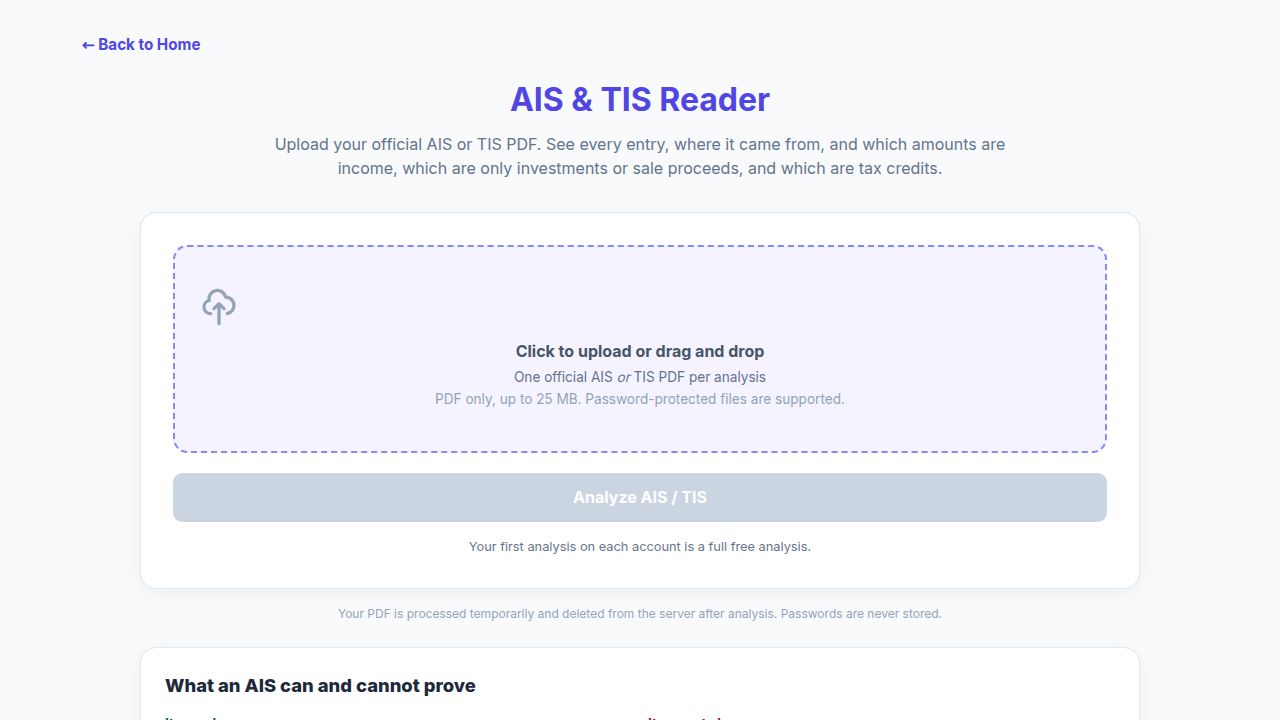
Upload your official AIS or TIS, including protected PDFs, to review every reported entry and source control.
Upload your official Annual Information Statement (AIS) or Taxpayer Information Summary (TIS) PDF. Understand source-reported receipts, investments, sale proceeds and tax credits before reconciling your income tax return.
AIS can contain salary, interest, dividends, securities transactions, investment purchases, remittances and tax information reported by different sources. TIS summarises category-level processed and accepted values. The reports serve different purposes, and overlapping amounts must not be blindly added.
TaxFetch organises your uploaded statement into a reviewable analysis: reported receipts by income head, financial activity, tax credits, categories and extracted entries. Where the PDF provides source controls, compare the extracted counts and amounts against them.
Use the analysis alongside your filed ITR, Form 26AS, bank statements and supporting records for the same financial year. Taxable income, deductions and final capital gains still require your own reconciliation; missing acquisition costs and review differences remain visible.
AIS is the detailed Annual Information Statement, while TIS is the Taxpayer Information Summary of category-level processed and accepted information. Read both against your records for the same financial year. TaxFetch organises official AIS/TIS PDFs into reported receipts, investment and sale activity, tax credits and source evidence; it does not turn every reported amount into taxable income.
Reported amounts may overlap across sources. A sale amount is not a capital gain, and an investment purchase is not income. · Source: Income Tax Department, Government of India
| Report or evidence | What it shows | What to review |
|---|---|---|
| AIS | Detailed source-reported information and financial activity | Check entries against bank, salary, investment and tax records |
| TIS | Category-level processed and accepted values | Keep these values distinct; do not blindly add them |
| Source controls | Printed counts and amounts where available | Compare extracted entries and retain review differences |
| Share or asset sales | Reported proceeds and any usable printed costs | Use supporting cost records to determine final taxable gains |
Everything you need, built in — no spreadsheets, no guesswork.
Explore reported categories and extracted entries, inspect original columns, and compare source counts and totals where printed.
Keep the report’s distinct values and unavailable fields visible. Different TIS totals are not automatically added together.
Review five income heads while separating investment purchases, sale proceeds, remittances and other financial activity.
See reported TDS, TCS and available tax-payment information. Completeness checks highlight discrepancies that need a closer look.
Enter an opening password when needed. Documents are processed temporarily; the original PDF and password are not kept for a later checkout return.
With unlocked access, download a readable PDF or Excel workbook with source evidence. Indicative gains use available printed costs; missing costs stay unresolved.
This is exactly what you'll see when you open the tool.
Upload your official AIS or TIS, including protected PDFs, to review every reported entry and source control.
An illustrative walkthrough of the three-stage AIS/TIS analysis. Sample values only; no taxpayer documents are used.
The actual AIS/TIS Reader interface, shown with fictional sample data. Your results depend on the entries in your uploaded report.
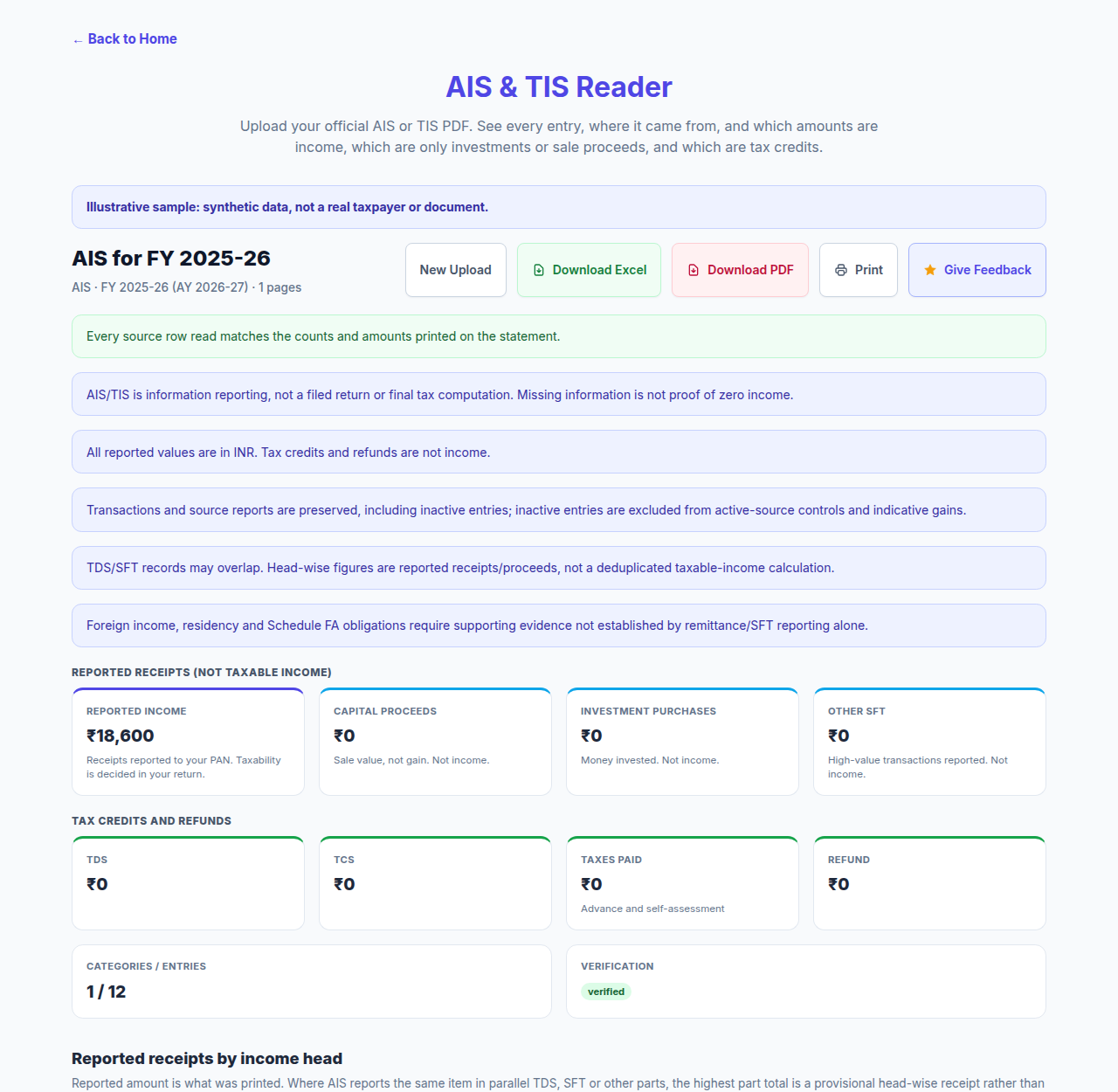
The summary separates reported receipts, sale proceeds, investments and tax credits. Five income heads help organise your review without treating every reported amount as taxable income.
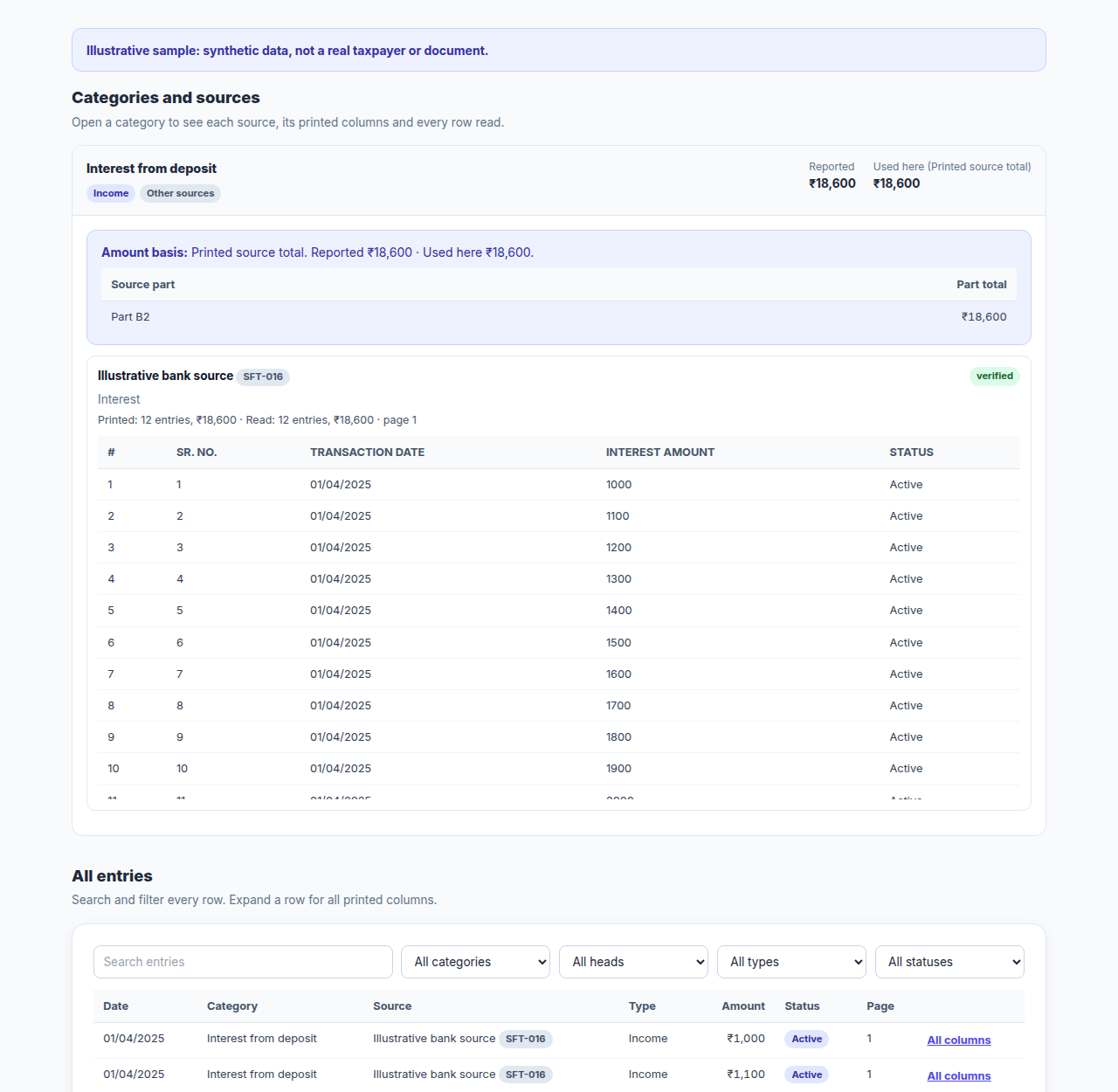
Search the extracted transaction rows, inspect original source columns and compare counts and totals. Review differences and unavailable values remain visible rather than being silently replaced.
From start to result in four simple steps.
Use the official AIS or TIS PDF from the Income Tax portal for the financial year you need.
Add one AIS or TIS PDF, up to 25 MB and 250 pages, and enter its opening password only when prompted.
Inspect reported receipts, investments, tax credits, source controls and every printed entry.
Unlock the analysis with eligible access, then download Excel or PDF reports. You can browse plans and return to the saved result while its short-lived recovery window remains valid.
Client feedback reviewed and verified by TaxFetch.
The source-wise interest breakdown made my AIS much easier to follow. Comparing the entries with my bank records felt far more organised.
Seeing share sale proceeds separately from income was really useful. I could focus on checking the purchase costs instead of mistaking every sale for a gain.
The TIS summaries kept processed and accepted amounts distinct. It was a clear way to review the figures without adding overlapping values together.
The Excel report gave me a practical working file with the source columns intact. It made checking the reported entries much more convenient.
The counts and review differences helped me see which entries needed a closer look. A useful way to prepare my records before discussing them with my adviser.
Have you tried AIS/TIS Reader? Share your actual experience, a useful feature or a problem we should fix.
Share feedback →Everything you need to know before you start.
It reads an official Annual Information Statement or Taxpayer Information Summary PDF and presents source-reported receipts, financial activity, tax credits and extracted entries in a reviewable format. TaxFetch is an independent tool, not an Income Tax Department service.
AIS provides detailed information reported by sources, including financial activity and tax information. TIS summarises category-level values, including processed and accepted amounts. These are distinct views and must not be blindly combined.
Sign in to the official Income Tax e-filing portal, open the Annual Information Statement service, select the financial year and download the available AIS or TIS PDF. Upload that official file to this reader.
Yes. After successful analysis with unlocked access, use Download Excel to export the extracted report, source columns and reconciliation evidence. A PDF report and printing are also available.
The opening password commonly uses your PAN in lowercase followed by your date of birth in DDMMYYYY format. For example, abcde1234f and 01012010 gives abcde1234f01012010. Follow the official download instructions if your report uses a different password.
Eligible signed-in accounts receive one first-use full AIS/TIS analysis. Later runs require applicable AIS/TIS plan access. Expired or exhausted purchased AIS/TIS access does not create another free trial. Check the current plans for prices and validity.
No. Source reports can overlap and do not establish all deductions, exemptions or acquisition costs. Taxability requires reconciliation to your books and return.
Sale proceeds alone are not gains. The reader can show indicative gains when usable acquisition costs are printed. If the statement does not provide sufficient cost information, the gain remains unresolved and needs supporting records.
Yes. Upload one official AIS or TIS PDF of up to 25 MB and 250 pages, then enter its opening password when prompted. Incorrect passwords are checked before analysis and do not consume an analysis credit.
Compare the extracted entries with the original PDF, printed source counts and totals, and your supporting records. A review warning is not proof of missing taxable income. Small printed rounding differences, source inconsistencies and unavailable values are kept explicit.
The original PDF and opening password are processed temporarily and removed after processing. A locked result can be recovered for a short time using an owner-bound handle. Browser session storage retains only a redacted preview and recovery handle, not the PDF, password or full financial dataset.
While the recovery window is valid, the plan links return to your saved result. Returning without buying keeps the locked preview; returning with eligible access unlocks the same analysis without uploading again. Credit-based access is used once for a successful unlock.
No. The reader creates a separate analysis. It does not change your AIS, submit feedback to the Income Tax Department or amend an income tax return. Use the official portal for corrections and a qualified adviser where necessary.
A complete toolkit for your taxes — all in one place.
It's quick, easy and your first use is free. See it work for yourself.
Try the tool →