See it in action
A look inside TDS Fetch
This is exactly what you'll see when you open the tool.

Enter your PAN, name and contact — TaxFetch securely fetches your TDS / Form 26AS in minutes.
Stop logging into the income tax portal and hunting through PDFs. Enter a few details and TaxFetch securely fetches your TDS / Form 26AS so you can see exactly what tax was deducted against your PAN.
Form 26AS is your annual tax statement — it shows every rupee of TDS deducted by your employer, bank, and others against your PAN. But getting it usually means logging into the income tax portal, navigating to the right section, and decoding a dense PDF.
TaxFetch does the heavy lifting. Give your PAN and basic details, and the tool fetches your TDS credit details for you — clean, readable, and ready to use when you file your return or cross-check your tax credit.
Form 26AS is your consolidated annual tax statement from the Income Tax Department. It lists every TDS credit, TCS, advance tax and refund recorded against your PAN. Checking it before you file confirms the tax already deducted for you, so you claim the correct refund. TaxFetch fetches it securely in minutes.
Over 8 crore income tax returns were filed for AY 2024-25 in India. · Source: Income Tax Department, Government of India
| Part of 26AS | What it contains |
|---|---|
| Part A | TDS on salary, interest, professional fees and more |
| Part B | Tax collected at source (TCS) |
| Part C | Advance tax and self-assessment tax you paid |
| Part D | Income tax refunds paid to you during the year |
Before filing, always reconcile your Form 26AS with your AIS. Most refund delays and notices I see come from a simple mismatch between the TDS claimed and the TDS actually reflected against the PAN.— CA Juber Attar, TaxFetch e-CA Tax Expert
Everything you need, built in — no spreadsheets, no guesswork.
Get your TDS / Form 26AS details in minutes instead of digging through the income tax portal yourself.
Your details are used only to fetch your own tax credit. Nothing is shared or sold.
See TDS deducted by employers, banks and others — all in one clean, readable place.
Confirm the tax already deducted against your PAN before you file, so you claim every rupee.
Export your fetched TDS details to keep a record or hand to your CA at filing time.
Every signed-in user gets a free run to try it out before deciding to do more.
This is exactly what you'll see when you open the tool.
Enter your PAN, name and contact — TaxFetch securely fetches your TDS / Form 26AS in minutes.
A live demo of what happens the moment you run the tool.
Actual screens from the tool — here is exactly what your result looks like.
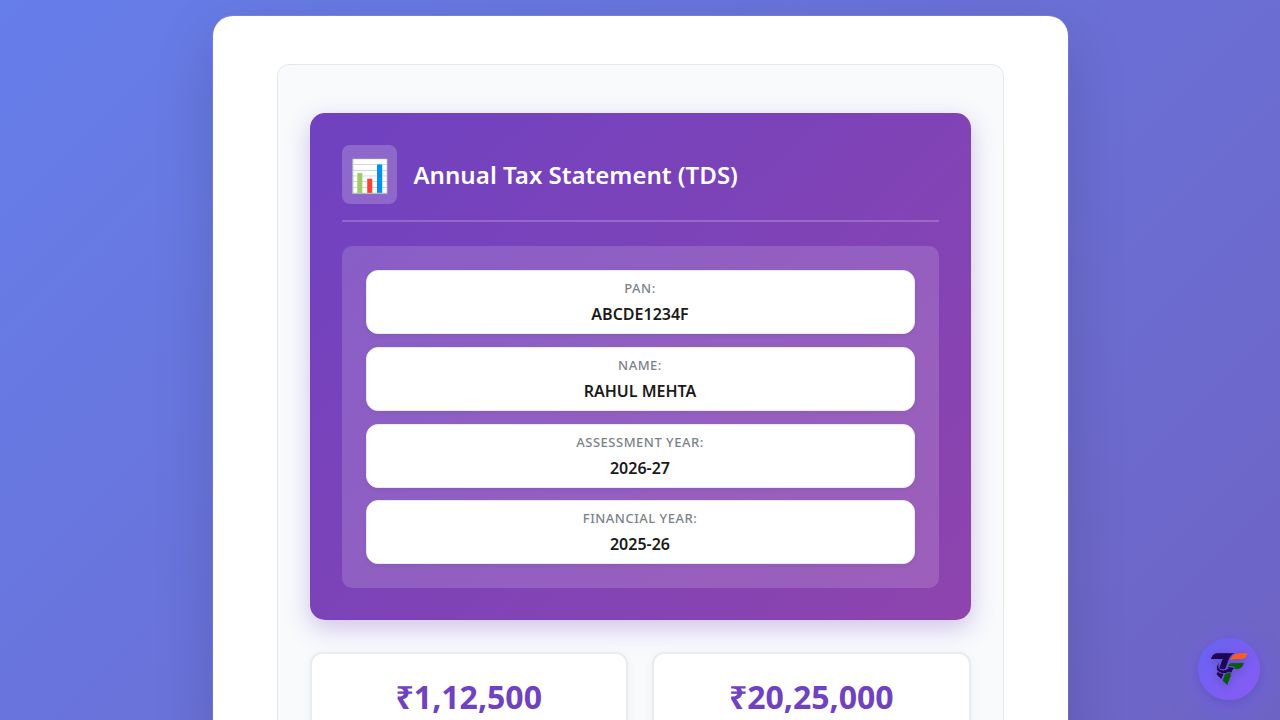
See your PAN, name, assessment year and a clean breakdown of every TDS entry deducted against you — no portal login, no PDF hunting.
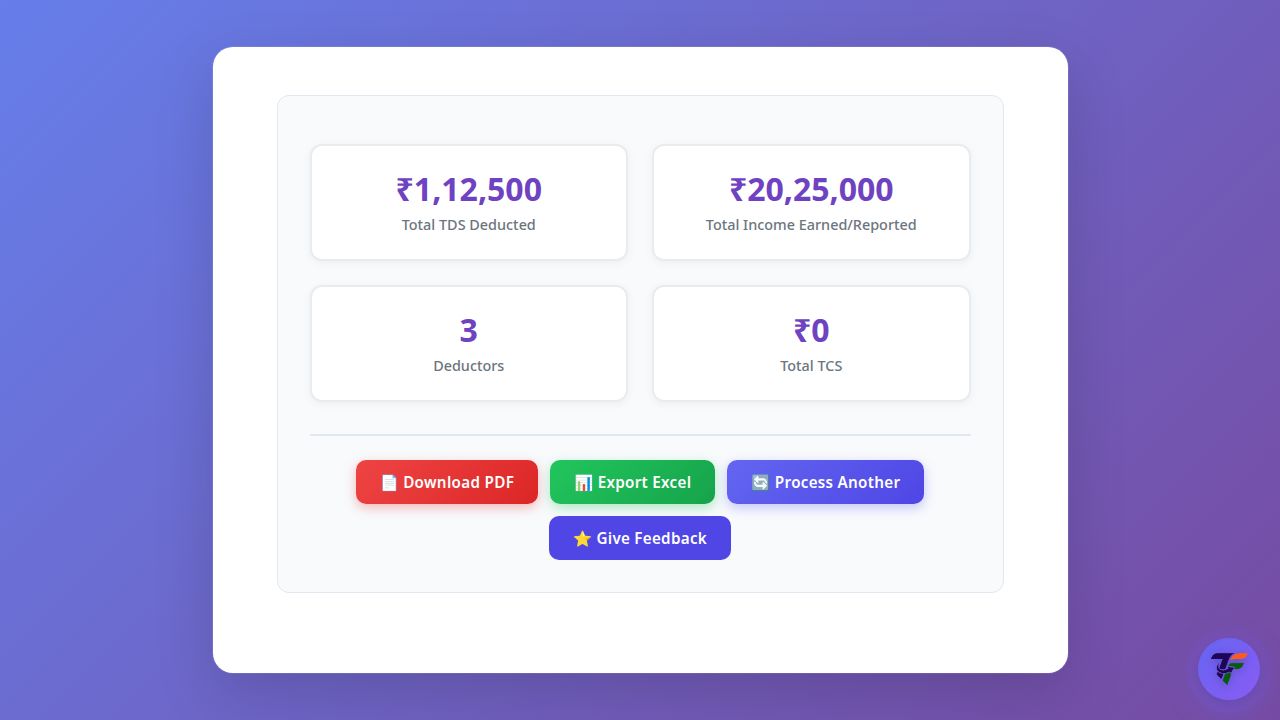
Your total TDS, deductors and entry count summarised at the top — then export the whole statement to PDF or Excel for your records or your CA.
From start to result in four simple steps.
Create a free account or sign in — this keeps your tax data tied securely to you.
Provide your PAN, name and contact so we can fetch the right statement.
TaxFetch securely pulls your TDS / Form 26AS credit details for you.
See your full TDS picture on screen and download it for your records.
Real people who got things done faster with TDS Fetch.
I always dreaded logging into the tax portal for 26AS. TaxFetch pulled my TDS in a couple of minutes — so much easier.
Found a TDS entry my bank had deducted that I had completely missed. Saved me from under-claiming my refund.
Used it to cross-check my Form 26AS before filing. Clean view, no confusing PDF. Exactly what I needed.
My CA asked for my 26AS and I had it ready in minutes instead of fumbling with portal passwords.
Simple, fast and to the point. The first free fetch convinced me it actually works.
Everything you need to know before you start.
Form 26AS is your annual tax statement from the income tax department. It shows all the TDS (tax deducted at source) and other tax credits recorded against your PAN during the year.
Yes. Your details are used only to fetch your own tax credit information. We do not sell or share your data.
Yes — TDS Fetch needs you to sign in so your tax data stays securely linked to your account. Your first fetch is free.
Most fetches complete in a few minutes, depending on the portal response.
Yes, once your data is fetched you can download it to keep a record or share it with your CA.
A complete toolkit for your taxes — all in one place.
It's quick, easy and your first use is free. See it work for yourself.
Try the tool →